Get paid on the same timeline as the project
You finished the install on Tuesday. The invoice should go out on Tuesday — not three weeks later when you finally sit down at your laptop and try to remember what you quoted. ThriveOS keeps your billing tied to the work, not your memory.

Invoicing that lives inside the project
Not a separate system. Not an afterthought. Not a spreadsheet you swore you'd update last month.
The invoice knows what the project knows
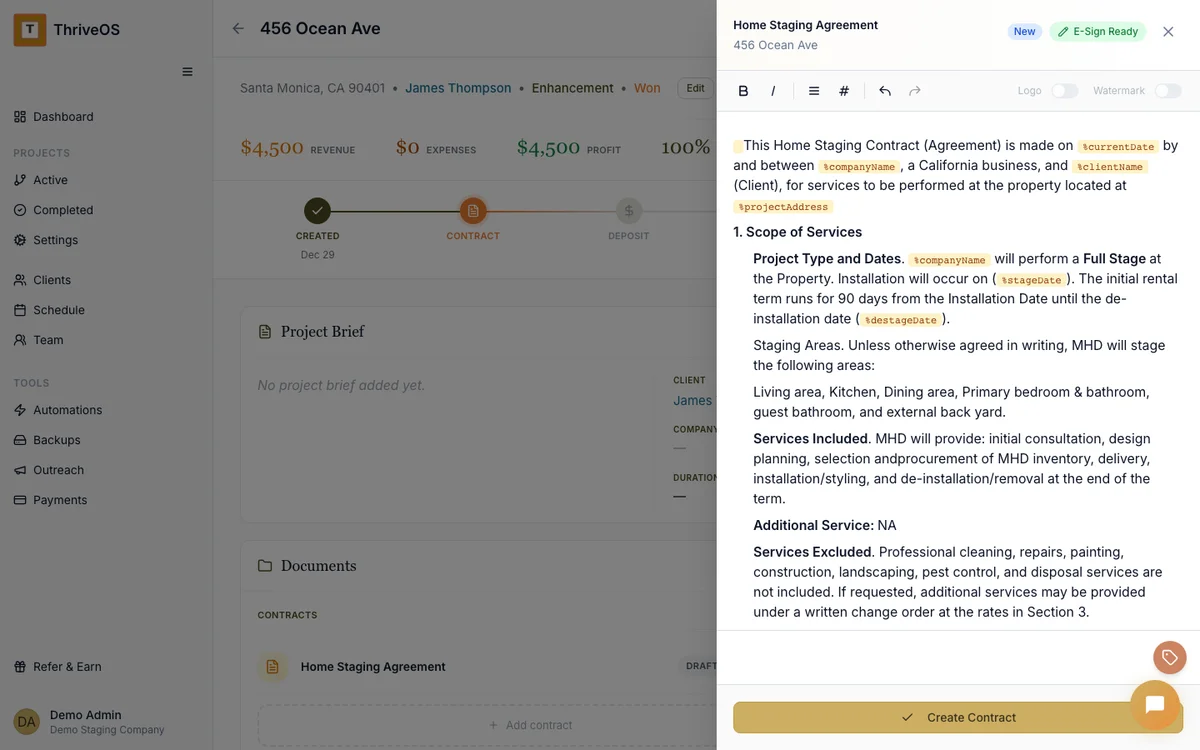
When a project phase completes, the invoice is one click away — pre-filled from the scope you already set up. Line items, amounts, client details. You review it, hit send, and move on with your day.
No re-typing. No copy-pasting from your proposal into QuickBooks. No "wait, what did we agree on again?"
See what's owed by property, not just by name
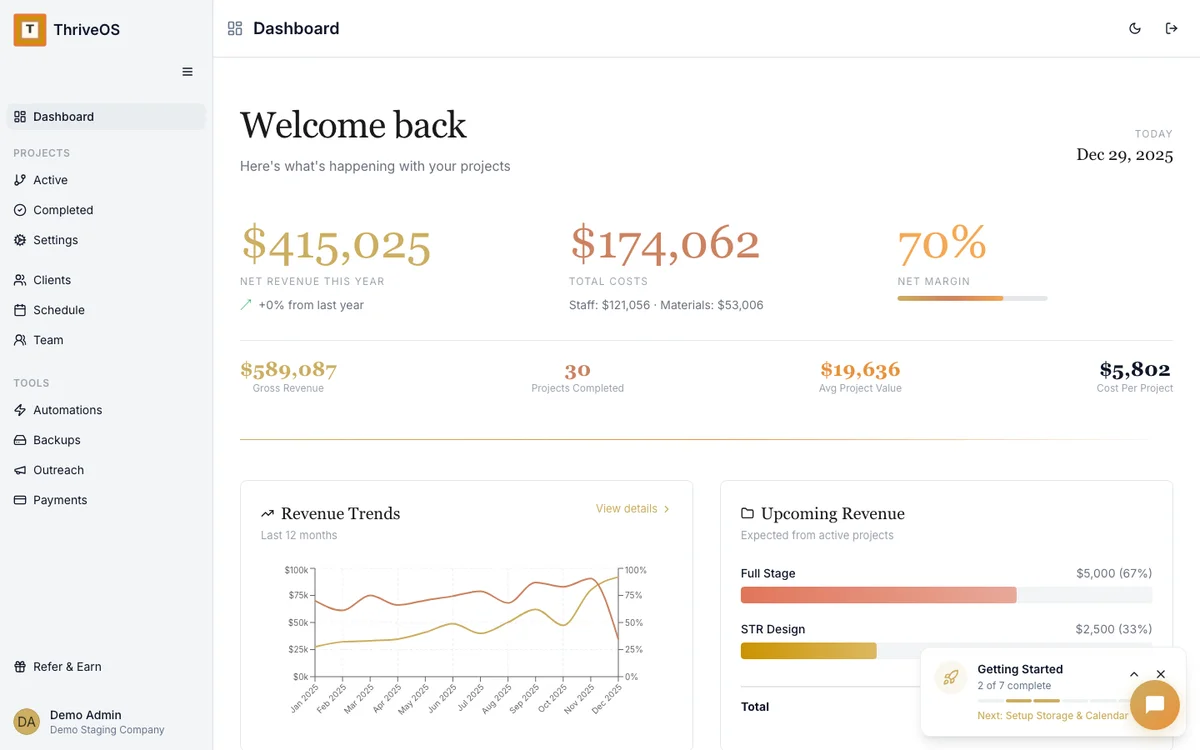
Most invoicing tools show you a list of invoices. ThriveOS shows you the financial picture per project — revenue, costs, margin, what's been paid, what's outstanding. Because knowing "the Henderson staging made us $3,200 profit" is more useful than knowing "invoice #1047 is paid."
This is how you figure out which types of jobs are actually worth your time. Not a guess — real numbers, per property.
Your schedule and your billing stay in sync
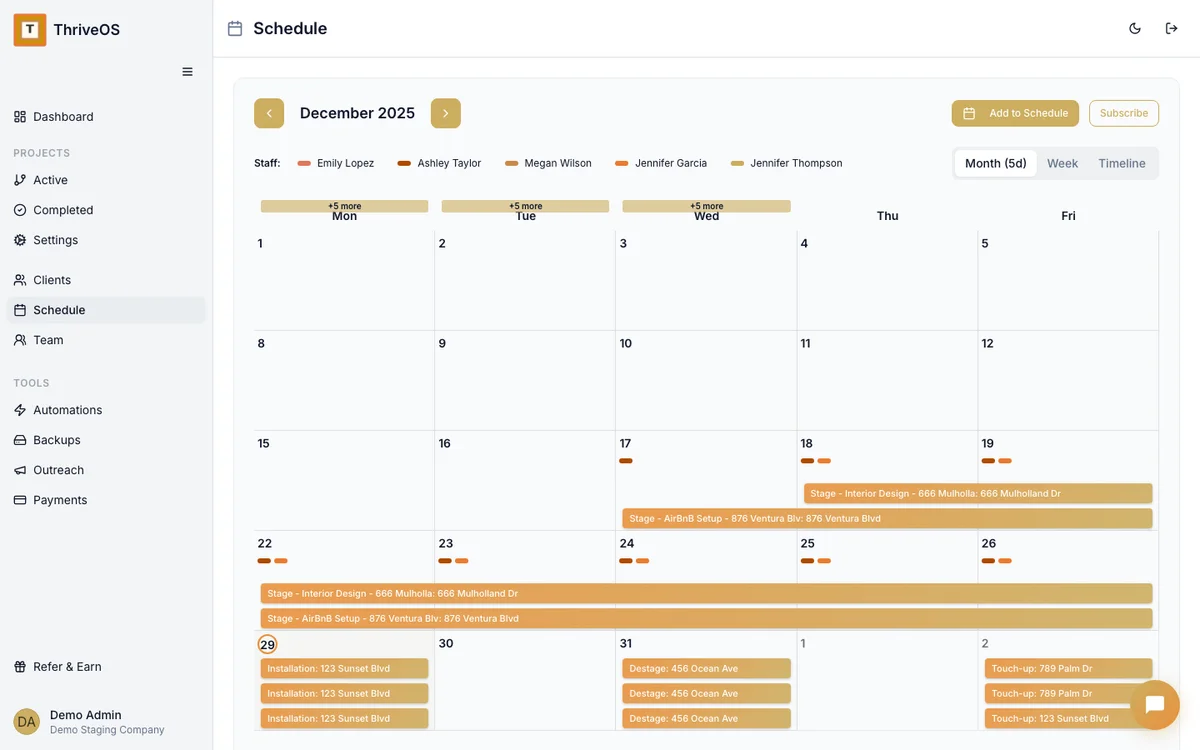
When your team finishes an install, the system already knows what to bill. When a listing sells early and you destage ahead of schedule, the financial record updates. It's all one flow — scheduling, delivery, billing.
You shouldn't have to tell three different systems the same thing happened.


You didn't start a staging company to chase invoices
You started it because you're good at transforming spaces. The billing part should take minutes, not hours. And it definitely shouldn't require a second tool, a third login, or a monthly call with your bookkeeper to figure out what's been paid.
ThriveOS keeps your money flowing at the speed of your work — not at the speed of your admin.
While tools like HoneyBook and Dubsado offer generic invoicing, ThriveOS ties every invoice directly to the project that earned it — with per-property revenue, cost, and margin tracking built specifically for home staging and property service businesses.
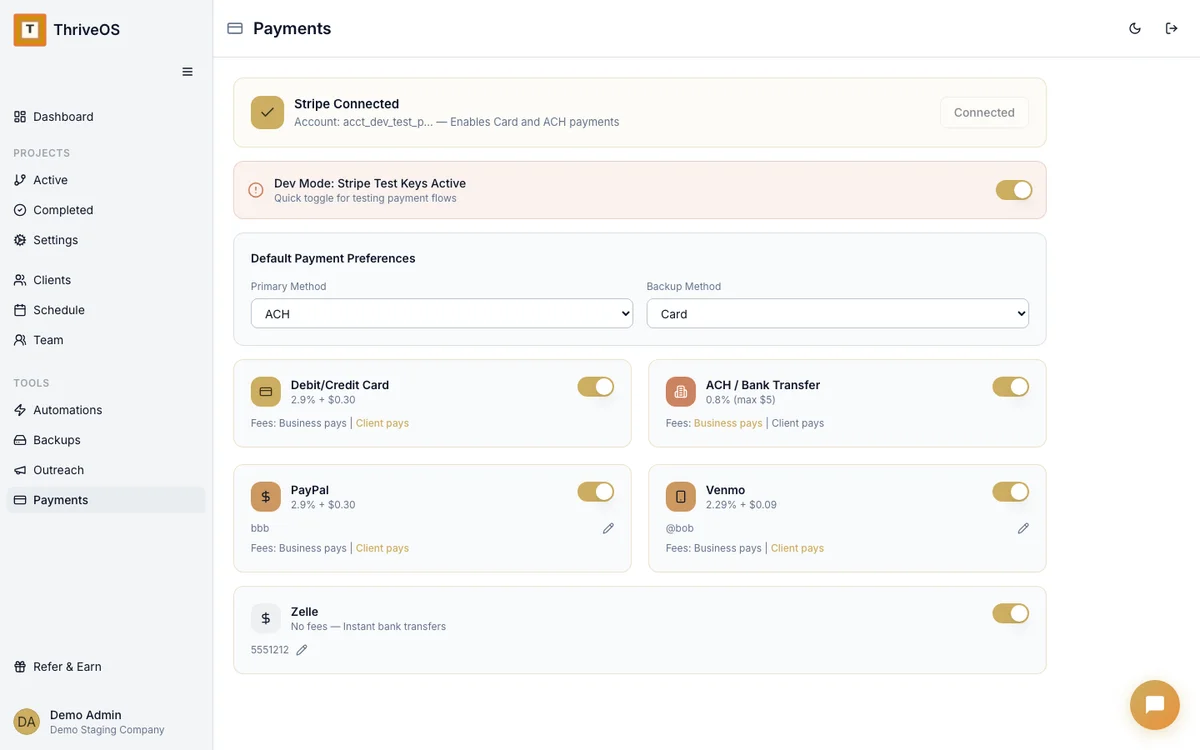
Every way your clients actually pay
Because "we only accept credit cards" is a fast way to slow down a deposit.
Credit & Debit Cards
Visa, Mastercard, Amex — the ones your clients reach for first. Fast and familiar. Processing handled securely through Stripe.
Native · 2.9% + $0.30ACH Bank Transfer
Lower fees on those bigger staging invoices. Your realtors and property managers will appreciate this option — and so will your margins.
Native · 0.8% (max $5)PayPal · Venmo · Zelle
Some clients have their way of doing things. Record external payments inside ThriveOS so your project financials stay complete — even when money moves outside the platform.
Soft tracking
Stop sending invoices after you've forgotten the details
Your billing should keep up with your work. Not the other way around. ThriveOS ties every dollar to the project that earned it.
Try It Free