Features Playbook Log in Join Waitlist
Feature Deep Dive

Staff Scheduling & Labor Cost Tracking

Finally know what each staging actually costs you. Schedule crews, track hours, and see real labor costs per project โ€” not next quarter, but right now.

Everything you need to run your crew

๐Ÿ“…

Crew Calendar

Assign staff to installs and destages with drag-and-drop scheduling. Everyone sees their schedule. No texts, no confusion.

  • Daily and weekly crew views
  • Conflict detection across jobs
  • Automatic crew notifications
โฑ

Real-Time Labor Tracking

See actual hours worked per project. Compare estimated vs. actual labor for every install and destage.

  • Hours tracked per crew member
  • Per-project labor cost totals
  • Payroll export ready
๐Ÿ’ฐ

Cost Per Property

Know your real margin on every job โ€” not next month, but the moment the project closes. Materials plus labor equals clarity.

  • Material and labor combined
  • Per-property margin reports
  • Spot your most profitable jobs
๐Ÿ“ฒ

Client Confirmations

Automated texts and emails go out when install or destage times are confirmed. No more back-and-forth.

  • Automated install day reminders
  • Destage date confirmations
  • Client portal access

See Your Labor Costs in Real Time

ThriveOS is free to start. Your first project is live in under an hour.

No credit card required
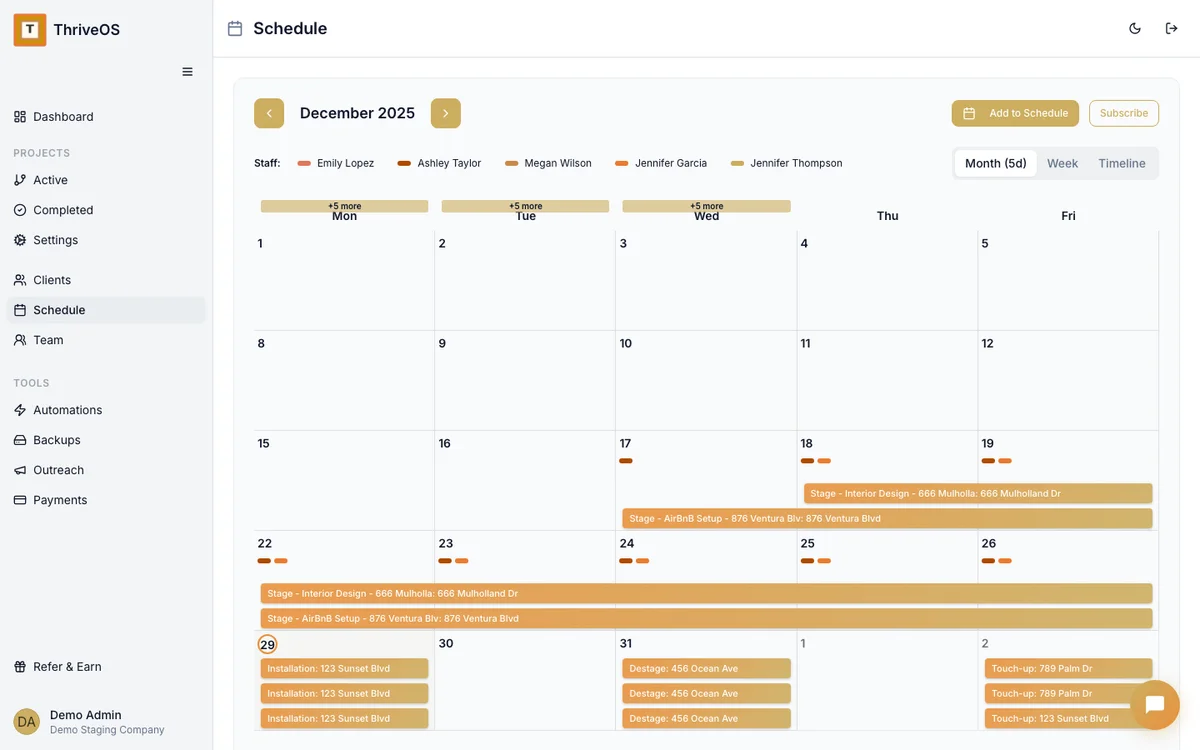
ThriveOS crew scheduling calendar showing team assignments by project

Full crew visibility โ€” who is where, when, and what it's costing you.

Scheduling Questions

Can I assign multiple crew members to one job? +
Yes. ThriveOS supports crew-based scheduling โ€” assign as many staff as needed to each install or destage. Each team member sees their own schedule in the app.
Does ThriveOS track actual hours worked? +
Yes. Staff can clock in and out on their mobile device, and the hours automatically apply to the project's labor cost calculation. You always know your real margin.
Can clients see when their install is scheduled? +
Yes. Clients have access to a client portal where they can view install and destage dates. Automated confirmation emails and texts go out when times are set.
Does scheduling integrate with the project timeline? +
It does. Crew assignments are tied directly to your project phases โ€” install, destage, walkthrough. No double entry, no separate calendar to maintain.
Is there a mobile app for my crew? +
Yes. Crew members can view their schedule, confirm their shifts, and track their hours from any mobile browser. No app download required.