Consultation to reveal — every phase tracked
A redesign project isn't a single appointment. It's a consultation, a shopping trip, an install day, and a reveal — spread across weeks, with materials to source and costs to track. ThriveOS manages the whole arc so you can focus on the transformation.

Redesign projects are creative. Your management tools should be practical.
The creative part is the fun part. The tracking, billing, and scheduling part is what ThriveOS handles.
Track five redesigns at once without losing the thread
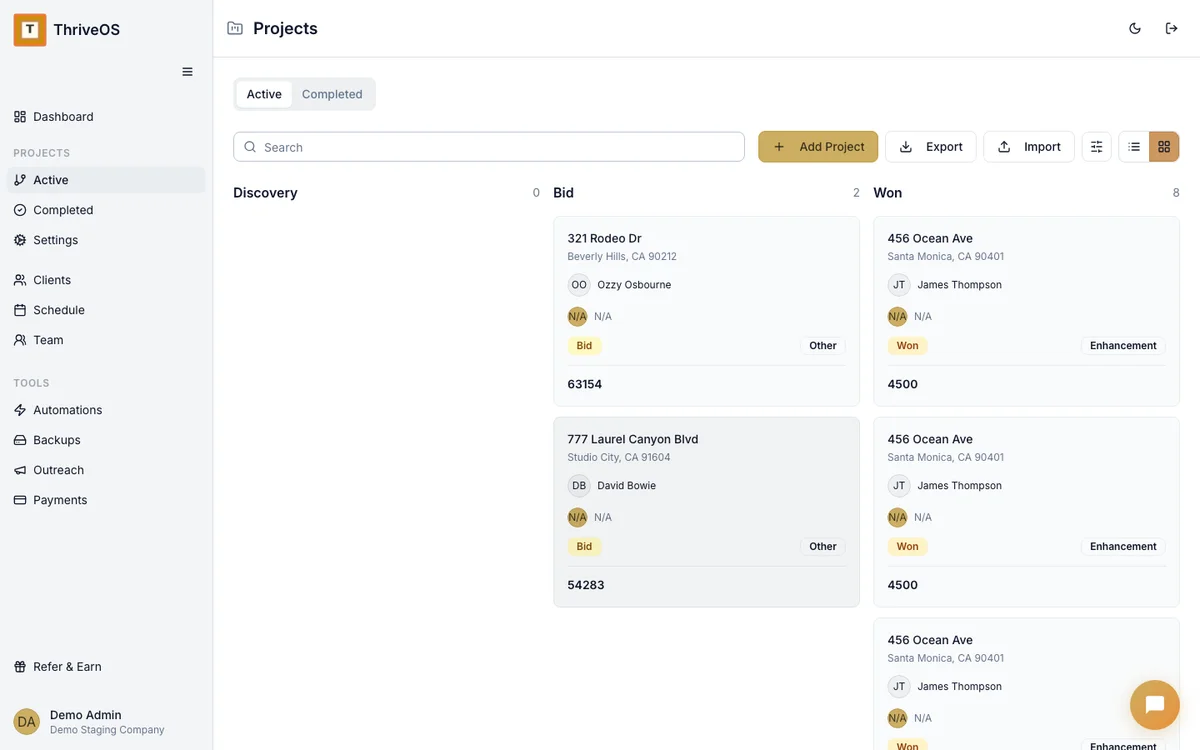
The Petersons' living room is in the shopping phase. The Garcia master bedroom installs next Tuesday. The Elm Street project is waiting on a custom ottoman to arrive. When you're running multiple redesigns simultaneously, the project board is your sanity check — every project, every phase, at a glance.
Click into any one for the full picture: timeline, budget, what's been spent, what's been billed, and what's next.
Materials tracking that makes your sourcing a business advantage
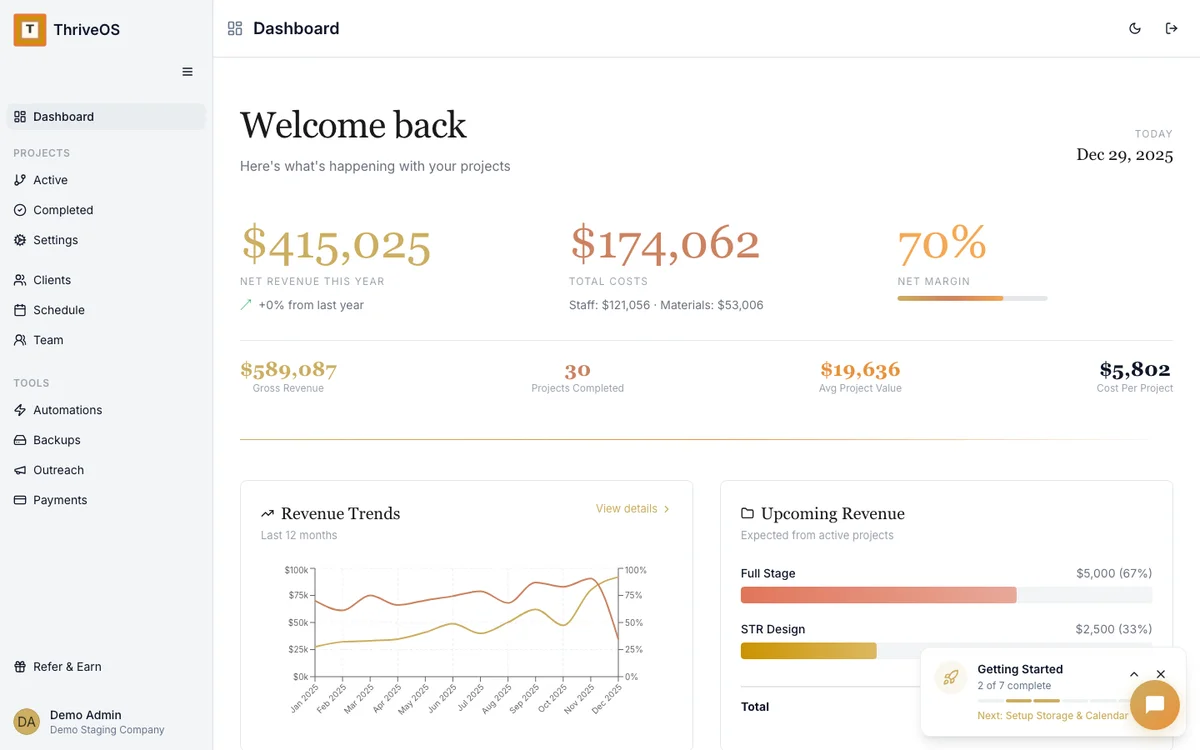
You found a stunning credenza at an estate sale for $120. Custom throw pillows: $180. Paint for the accent wall: $65. Log each one to the project. Now you know the Garcia bedroom cost $365 in materials against the $2,400 you charged. That's a 85% material margin — and proof that your sourcing eye is one of your most valuable skills.
Schedule your creative week around consultations, installs, and reveals
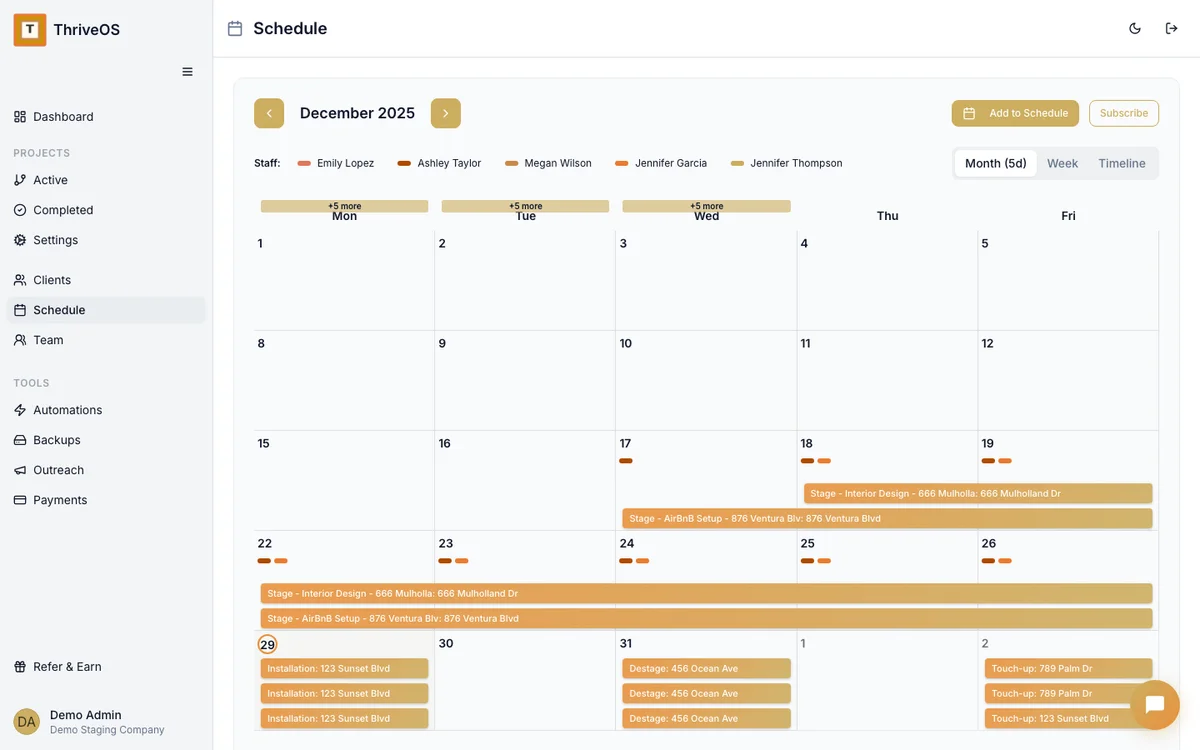
Monday: shop for the Peterson project. Wednesday morning: consultation with a new client. Wednesday afternoon: install day at the Garcia residence. Friday: reveal photos and final walkthrough at Elm Street.
ThriveOS shows your week tied to projects — not just as calendar blocks, but as phases of work with context. When you glance at Thursday, you don't just see "Garcia" — you see "Garcia master bedroom, install day, team: you + assistant, materials delivered Tuesday."

Pinterest boards aren't project management
Most redesigners keep their project details scattered across Pinterest (inspiration), Google Sheets (budget), Google Calendar (schedule), and Venmo (payments). It works until it doesn't — usually around the time you're juggling five clients and can't remember what you quoted the Garcias.
ThriveOS puts it all in one place. The project scope, the schedule, the materials list, the costs, the invoice, the contract. One system that knows your project isn't just a mood board — it's a business engagement with real money attached.
Unlike HoneyBook or Dubsado — which track contacts and invoices but weren't designed for multi-phase creative projects — ThriveOS tracks every redesign from first consultation through final reveal, with material budgets, scheduling, and profitability built into the same workflow.
Creative work deserves practical tools
Track every project from first consultation to final reveal — with the financials, scheduling, and team coordination that spreadsheets can't handle.
Try It Free