Every staging, every phase, one board
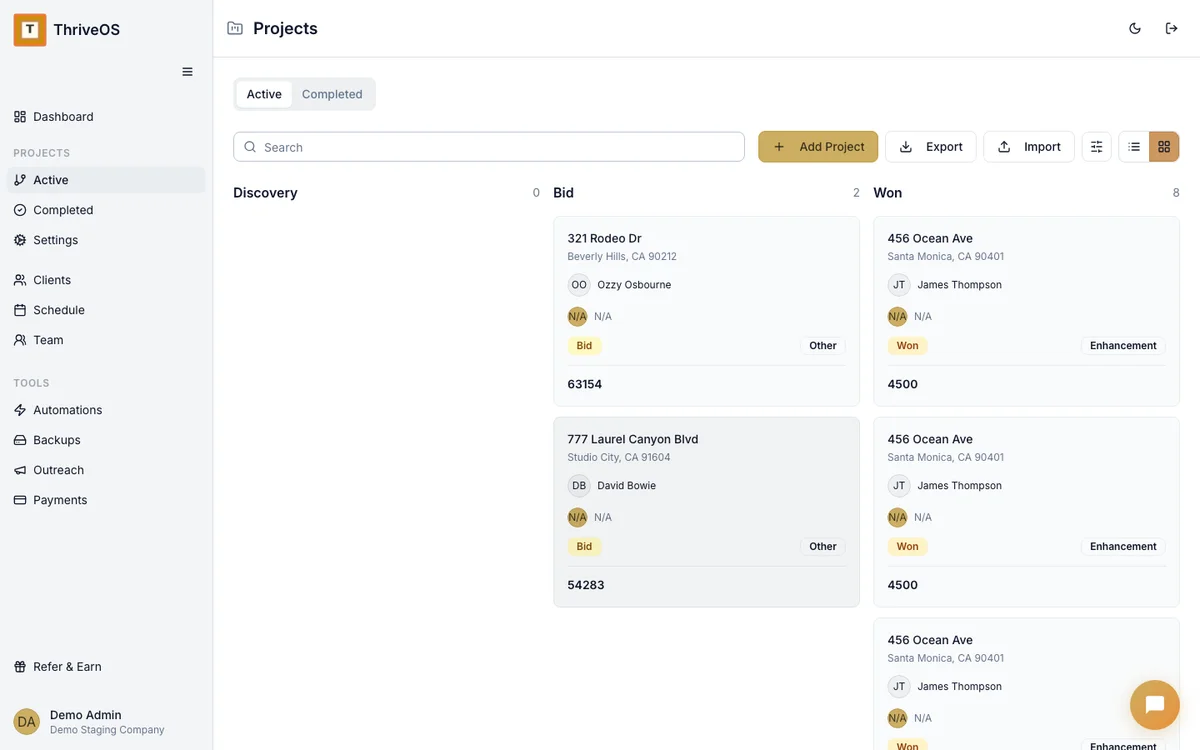
You're not managing tasks — you're managing properties. Each one has a proposal, an install, photography, a destage, and a dozen things that need to happen in between. ThriveOS tracks all of it on one project board so nothing falls through the cracks.

Staging phases, built in
You don't have to create "Proposal → Install → Photography → Destage" from scratch. It's already there.
Proposal
Quote sent, contract pending. Track which properties are in the pipeline and what's waiting on a signature.
Install
Team assigned, date scheduled, client confirmed. Everything your crew needs to show up ready.
Photography
Staged and waiting for the shoot. Track photographer scheduling alongside your project timeline.
Destage
Listing sold or lease ended. Schedule the pickup, track the final invoice, close the project.
See your whole pipeline without opening five tabs
How many properties are in proposal? How many installs are scheduled this week? Which stagings are waiting on a destage? ThriveOS shows you the whole picture on one board. Drag a project between phases. Click into any one for the full story — timeline, team, financials, documents.
No more mental gymnastics trying to remember where everything stands.
Scheduling that knows the difference between an install and a destage
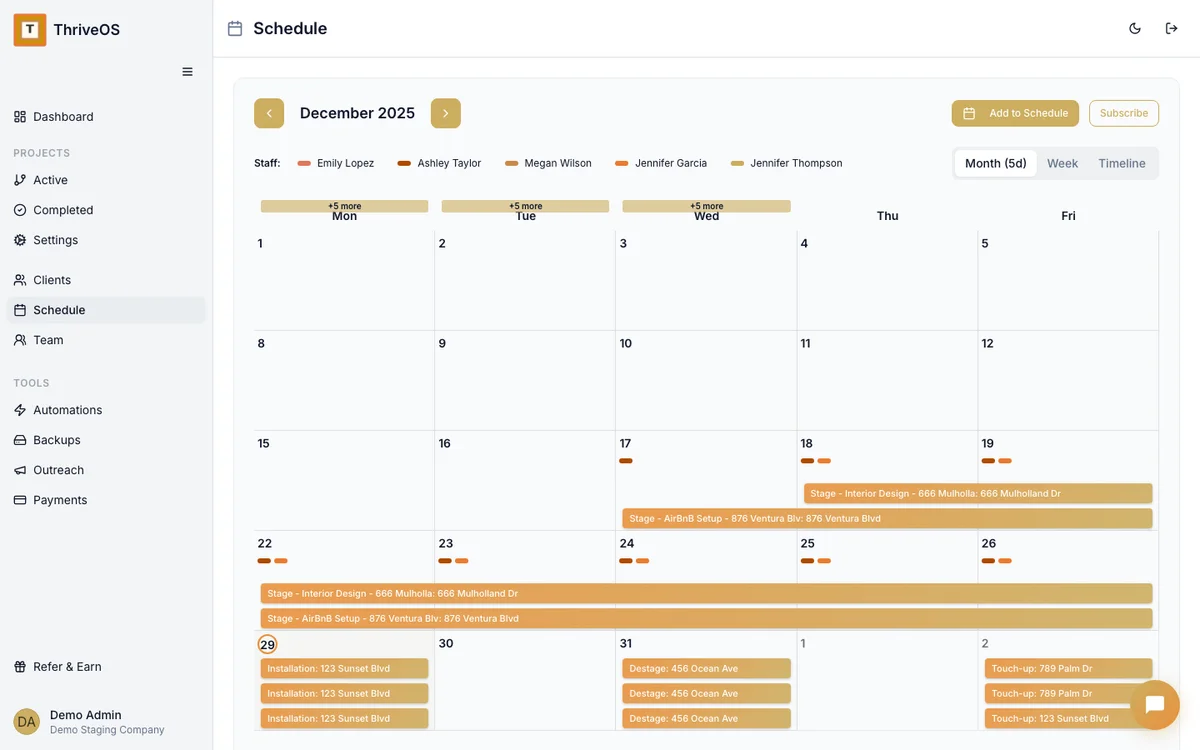
Your calendar isn't just meetings — it's install days, destage windows, photography slots, and consultation visits. ThriveOS's scheduling view is built around project phases, not generic calendar events. Your team sees where they need to be, when, and for which property.
Every property tells a financial story
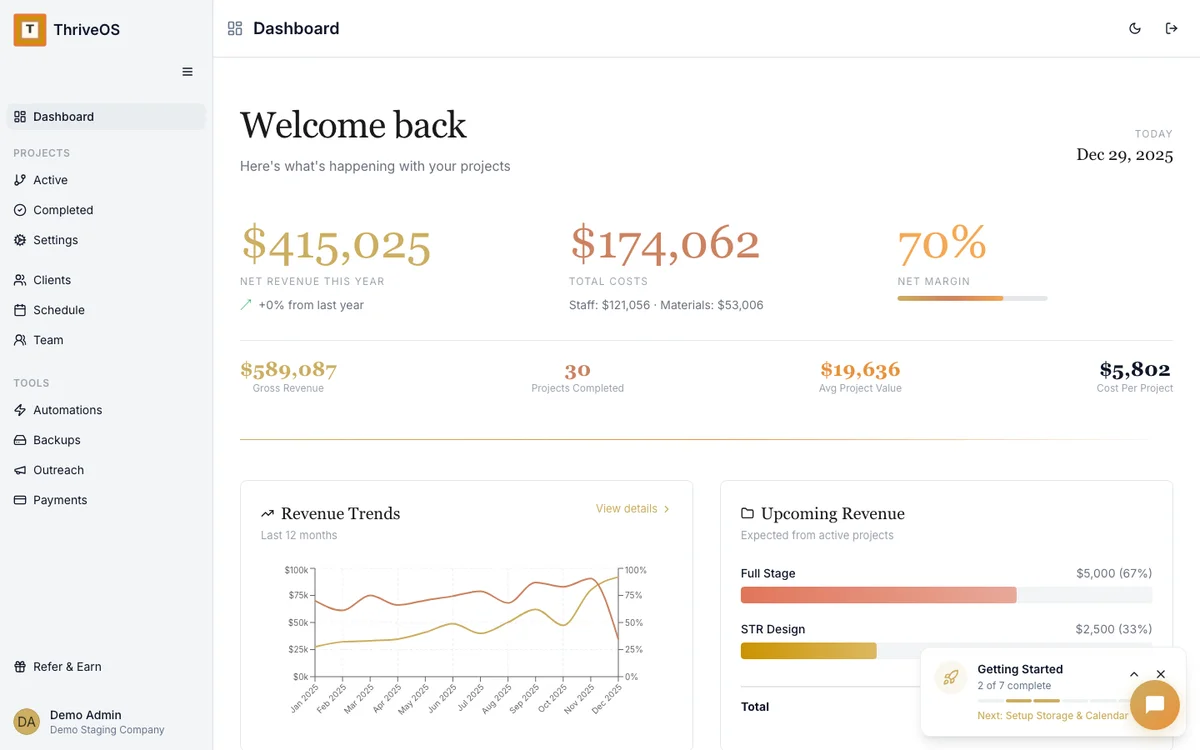
The project board isn't just about status — it's about money. Each property shows revenue, costs, and margin right on the project card. You know which stagings are profitable and which ones ate into your margins before you even finish the destage.
That's not just project management — it's business intelligence, built into the workflow you're already using.

Asana wasn't built for this. Neither was Trello.
Generic project management tools are great for software teams. But they have no concept of properties, no built-in invoicing, no team scheduling tied to locations, and no financial tracking per project.
You end up building a Frankenstein system — Trello for the pipeline, Google Calendar for scheduling, QuickBooks for invoicing, Slack for team communication. Four tools, four logins, four things to keep in sync.
ThriveOS replaces all of them with one system that was designed for how staging businesses actually run.
Unlike HoneyBook or Dubsado — which handle contacts and invoices but have no concept of staging-specific project phases — ThriveOS tracks every property from proposal through destage, with scheduling, team assignments, and financials built into the same workflow.
Project management that thinks in properties
Not tasks. Not tickets. Properties — with phases, teams, timelines, and money attached to each one.
Try It Free