Features Playbook Log in Join Waitlist
Feature Deep Dive

Session Scheduling & Time Tracking

Finally know what each organizing session actually costs you. Schedule sessions, track hours, and see real time costs per project — not next quarter, but right now.

Everything you need to run your organizing practice

📅

Session Calendar

Schedule discovery calls, organizing sessions, and follow-up appointments from one calendar. Clients get confirmations automatically.

  • Block booking for multi-session packages
  • Buffer time between sessions
  • Automated client reminders
⏱

Time Tracking Per Session

Track actual hours worked on each client project. See your real hourly rate across session types — not just what you quoted.

  • Clock in/out per session
  • Compare estimated vs. actual time
  • Billable hours report by client
💰

Package & Hourly Billing

Bill by the hour or sell organizing packages. Both modes work together in the same project without switching systems.

  • Package deposits and installment billing
  • Hourly time entries with automatic totaling
  • Know your most profitable service types
📲

Client Communication

Clients book, sign, and pay through a dedicated portal. No back-and-forth texts to confirm appointment times.

  • Online booking and self-scheduling
  • E-sign contracts included
  • Payment links and auto-receipts

Know Your Real Hourly Rate on Every Client

ThriveOS is free to start. Your first session is live in under an hour.

Start Free
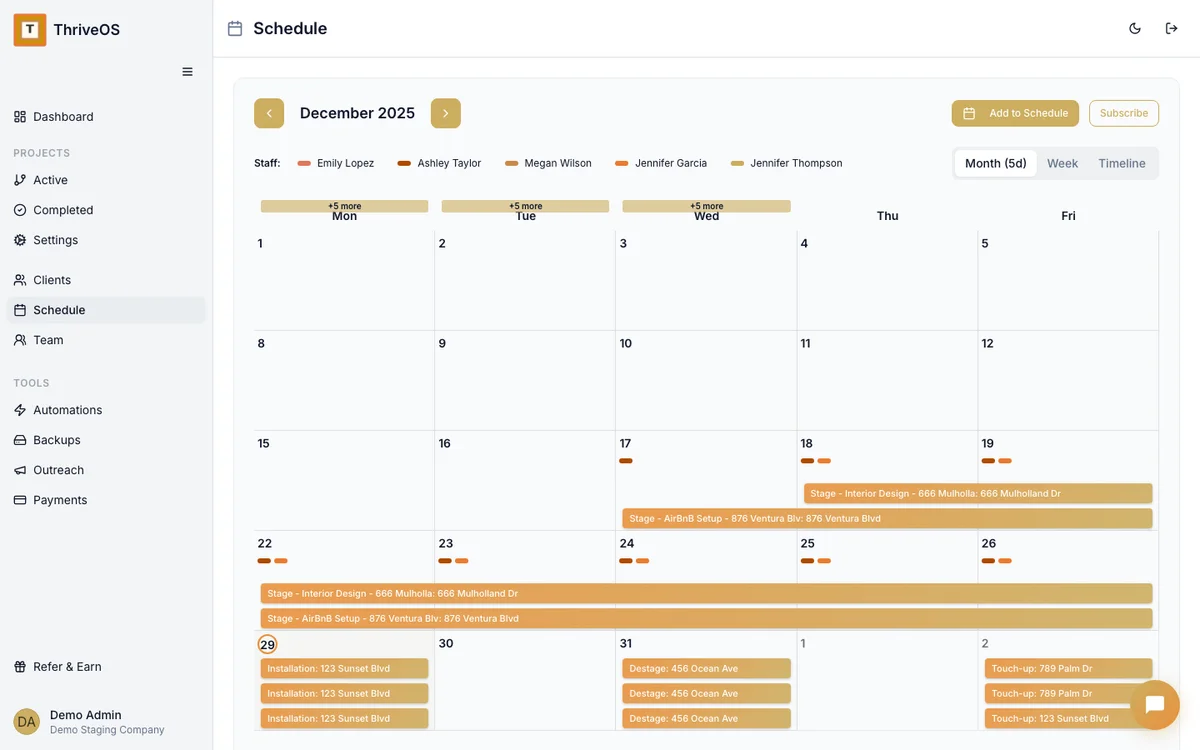
ThriveOS session calendar showing organizing appointments and client projects

All your sessions, all your clients, all your hours — one clean view.

Scheduling Questions

Can clients book their own sessions online? +
Yes. ThriveOS includes a client portal where clients can view availability and request session times. You approve and confirm, and they get an automatic confirmation with all the details.
How does time tracking work for organizing sessions? +
You can clock in when you start a session and clock out when you finish. The time automatically applies to that client's project and calculates against your hourly rate. You always know what you've earned.
Can I sell multi-session packages and track hours against them? +
Yes. You can set up packages with a fixed number of hours, then track actual time worked against the package. The client portal shows how many hours remain in their package at any time.
Does ThriveOS handle both in-home and virtual organizing? +
Yes. Project types are flexible — you can run in-person sessions, virtual video sessions, and hybrid engagements within the same client account. Billing and scheduling work the same way for both.
Can I see which service types make the most money? +
Yes. The dashboard breaks down revenue and margin by project type, so you can see whether whole-home overhauls, kitchen sessions, or garage clears are actually your most profitable work.