Features Playbook Log in Join Waitlist
Feature Deep Dive

Reveal Day Scheduling & Cost Tracking

Finally know what each room makeover actually costs you. Schedule design days, track time, and see real costs per project — not next quarter, but right now.

Everything you need to run reveal days and redesign projects

🎨

Design Day Scheduling

Block your reveal days with full client visibility. Confirm install windows, schedule consultation calls, and set client expectations — all from one calendar.

  • Full-day and half-day blocking
  • Consultation and follow-up scheduling
  • Automated reveal day reminders
⏱

Time Tracking Per Project

Track design time from sourcing through reveal. Know exactly how many hours each room makeover takes — and price your next one accordingly.

  • Hours by project phase
  • Compare quoted vs. actual time
  • Understand your real hourly rate
💰

Sourcing & Cost Tracking

Log what you spend on furnishings, accessories, and materials per project. See your real margin before the client pays the final invoice.

  • Per-item sourcing cost entry
  • Compare cost against project revenue
  • Know your most profitable room types
📲

Client Experience

Clients sign their contract, pay their deposit, and follow project progress through a dedicated portal. The reveal feels polished from first contact.

  • E-sign contracts included
  • Deposit and installment billing
  • Client portal for updates and payment

Price Your Reveal Days With Confidence

ThriveOS is free to start. Your first project is live in under an hour.

Start Free
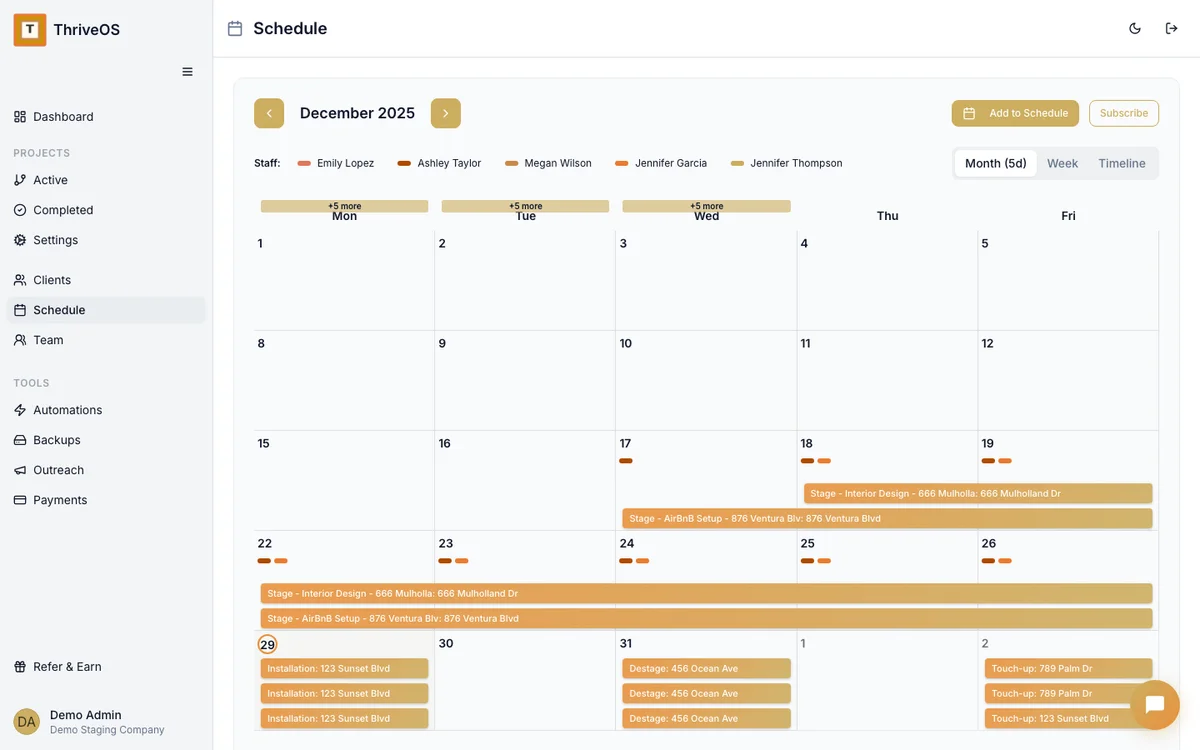
ThriveOS redesign scheduling calendar showing reveal days and design consultations

Every reveal day, every consultation, every follow-up — one clear calendar.

Scheduling Questions

How does reveal day scheduling work? +
You block your reveal days on the ThriveOS calendar and assign them to specific projects. Clients receive automated confirmations with the date, time, and any prep instructions. You can also set buffer time before and after each reveal.
Can I track sourcing costs and see my margin per project? +
Yes. Each project has a cost section where you log sourcing expenses — furniture, accessories, rental items, and your own time. ThriveOS shows your real margin against the project invoice before you send the final bill.
How do I handle deposit billing for redesign projects? +
ThriveOS supports deposit-first billing. You can collect a deposit at signing, then invoice the remainder on reveal day completion. Both payments are tracked against the same project so your financials stay clean.
Can clients follow the project progress before reveal day? +
Yes. Clients have a client portal where they can see project status, upcoming dates, signed contracts, and payment history. They don't need to email you to know where things stand.
Does ThriveOS work for both residential and commercial redesign? +
Yes. Project types are flexible — residential room makeovers, commercial space refreshes, and model unit redesigns all work within the same account. Billing and scheduling adjust to whatever scope you define.